
Best Online Tools for Estimating Wood Fence Supplies
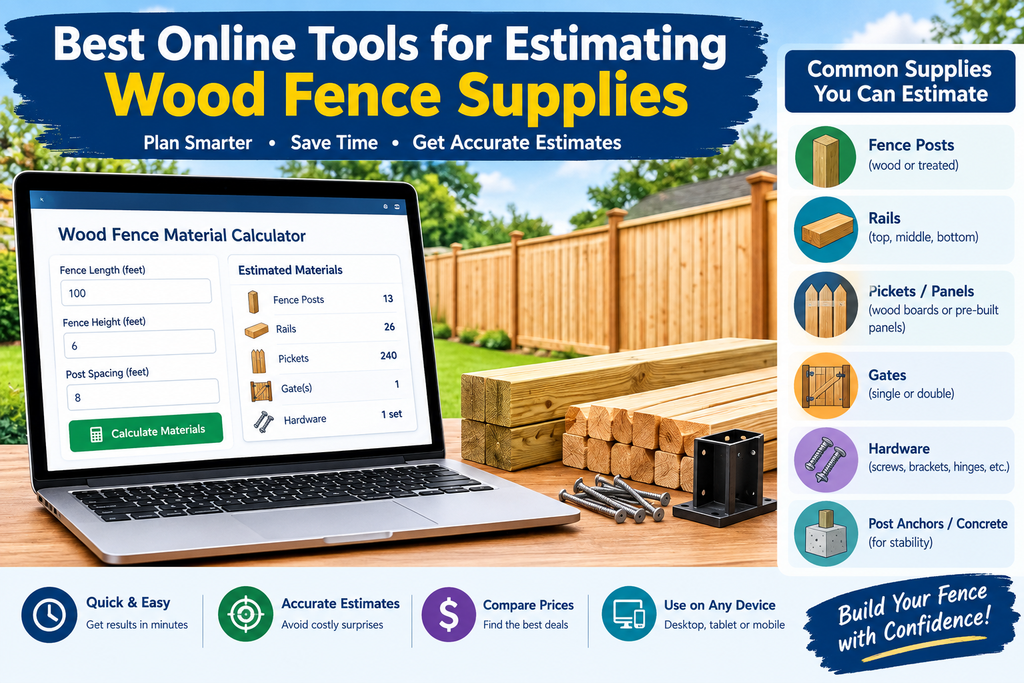
Buying too little lumber stalls a fence project, and buying too much wastes money. A good online estimator turns your measurements into a shopping list of posts, rails, pickets, concrete, and screws. Here are the wood fence calculators worth a look, what each does well, and how to pick one.
What to Look for in a Fence Calculator
Before comparing tools, know what a useful one should offer:
- Editable inputs. Post spacing, picket width, gaps, and rails per section should all be adjustable, since every build differs.
- A complete materials list. Posts, rails, pickets, and concrete are the minimum. Hardware and gate support are a bonus.
- A waste allowance. Cuts, splits, and warped boards happen.
- Cost estimates. Optional, but handy for comparing pressure-treated wood, cedar, and redwood.
- No unnecessary friction. Free and quick beats a form that demands your email first.
The Top Tools
1. Inch Calculator: Best for DIYers Comparing Wood Types
This calculator takes your fence length, number of rails, and picket dimensions. It returns posts, rails, pickets, concrete, and two sizes of screws, plus a cost estimate for pressure-treated wood, cedar, and redwood. That side-by-side pricing is useful if you haven’t yet decided which wood fits your budget.
It’s designed for building a wood fence from individual boards rather than ready-made panels, which suits most custom privacy fences. Its cost figures are rough, and the page itself notes they vary by location, vendor, and quantity. The page also promotes contractor quotes, so expect a sales pitch nearby. inch calculator
2. ArcSite: Best for Contractors
ArcSite’s wood fence calculator is aimed at professionals who need to back up quotes. It estimates posts, sections, pickets, rails, and total concrete bags, and every input (length, height, post spacing, picket width and spacing, rails per section, concrete per post) can be edited. The list updates as you tweak settings, and a fence diagram helps you check your assumptions. arcsite
It works for homeowners too, but the tone and features lean toward job estimating.
3. Invoicer.ai Fence Calculator: Best Overall Feature Set
This tool covers the most ground. Its results include posts, sections, pickets, rails, concrete, and gates with hardware, and it lets you add a waste allowance and optional pricing. Its sample output for a 100-foot privacy fence matches the math from a standard 8-foot-spacing layout: 14 posts, 13 sections, and 39 rails.
Two features stand out. First, you can trace your fence on a satellite map to fill in the length if you don’t know it. Second, it reminds you to add an extra post at every corner, end, and gate, a step many people forget. It also switches between wood, vinyl, aluminum, and chain link, which helps if you’re still weighing options. It’s built by an invoicing company, so expect a prompt to turn your list into a customer quote. invoicerinvoicer
4. FenceTally: Best No-Signup Option (Newer)
FenceTally is a recently launched set of free calculators. It works out materials, post count and length, concrete bags, picket spacing, stain, and cost per linear foot, with no email required. Because it’s new, it has less of a track record than the others, so double-check its results against a second tool.
5. Rick’s Deck/Fence Material Calculators: Worth a Look for Pros
Listed on ProRemodeler, these let you choose a style, materials, and length, and return a full materials list. I found limited detail on how customizable it is, so try it yourself before relying on it. proremodeler
Which One Should You Use?
- Comparing wood species on price: Inch Calculator.
- Unsure how long your fence is: Invoicer.ai, using the map trace.
- Building quotes for customers: ArcSite or Invoicer.ai.
- Want a quick, free answer: FenceTally, then verify with another tool.
How to Get the Most Accurate Estimate
- Run two calculators and compare. If the post and picket counts are close, you’re on solid ground.
- Confirm sizes with your supplier. Invoicer advises checking panel and picket dimensions before ordering, and that’s good practice with any tool.
- Add gates separately. Gate posts, hinges, and latches usually aren’t fully covered by a basic estimate.
- Keep a waste buffer. Around 10% is a common cushion.
- Treat cost figures as ballparks. Get local lumber prices before budgeting.
FAQs
Are online fence calculators accurate?
They’re accurate for the math, meaning how many posts, rails, and pickets fit your run. They’re less reliable on price, which depends on your area and supplier.
Do these tools work for privacy fences?
Yes. Set the picket gap to zero and use three rails per section for a typical 6-foot privacy fence.
Do I need to create an account?
Not for the tools above. Some ask you to sign up only if you want to save or convert your estimate into a quote.
What’s the biggest input mistake?
Forgetting corners and gates. Add extra posts for both, even if the tool doesn’t prompt you.
Should I trust big-box store calculators?
I couldn’t verify current, reliable versions of these in my search, so check your local store’s website directly. Many sites online that claim to be store calculators are low-quality pages, so stick to tools from known sources.
The Bottom Line
For most homeowners, Inch Calculator is the easiest place to start, especially if you’re deciding between pressure-treated wood, cedar, and redwood. Invoicer.ai is the most feature-rich, with waste settings, gate handling, and map-based measuring. ArcSite suits contractors. Whichever you choose, run a second check and confirm sizes with your lumber yard before you order.