Best Online Tools for Estimating Wood Fence Supplies
Underestimating a wood fence project means a second trip to the lumberyard and a stalled weekend. Overestimating means paying for lumber that ends up stacked in the garage. A good online estimator helps you avoid both by turning your measurements into a shopping list of posts, rails, pickets, concrete, and hardware.
What a Good Fence Calculator Should Do
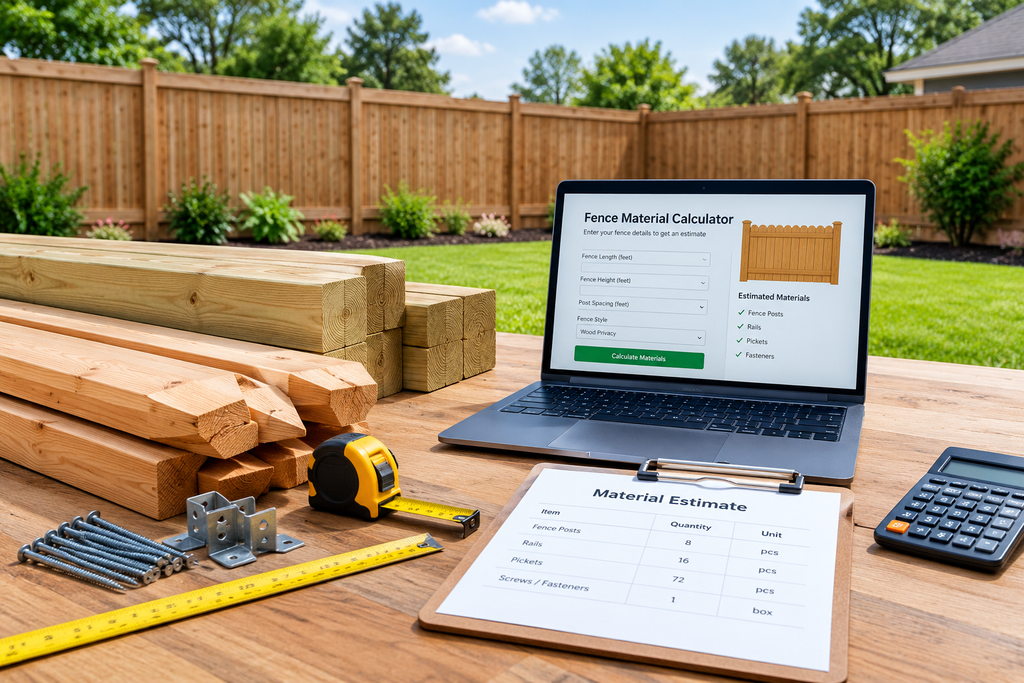
Before comparing tools, know what to look for. The best estimators:
- Account for gates and corners. Corner and gate posts change your post count, and gates need extra hardware.
- Let you set post spacing. Most wood fences use 6 to 8 feet between posts, and your spacing affects the whole material list.
- Calculate pickets from width and gap. Picket count depends on picket width and spacing, so a good tool asks for both.
- Include concrete and hardware. Bags of concrete, screws or nails, and hinges add up quickly.
- Add a waste factor. Cuts, warped boards, and mistakes mean you need extra material, usually 5 to 10 percent.
The Best Options by Type
Features and interfaces change often, so confirm what each tool currently offers before you rely on it.
1. Big-Box Retailer Fence Calculators (Best for Beginners)
Home Depot and Lowe’s both offer fence planning and estimating tools on their websites. You enter the length of your fence, height, and style, and they generate a materials list tied to products in their stores. These are the easiest place to start, and they let you build a cart directly. The trade-off is that the list favors their inventory, and the tools can be simplistic when you have irregular layouts.
2. Independent Fence Calculators (Best for Quick, Neutral Estimates)
Sites like Calculator.net and Omni Calculator publish free fence calculators that don’t push you toward a particular store. They typically ask for total length, post spacing, and picket dimensions. They’re good for sanity-checking the numbers from a retailer’s tool, or when you want a quick estimate before visiting any store.
3. Fence Supplier and Manufacturer Tools (Best for Specific Products)
If you’ve chosen a particular product line, such as a specific picket style or a prefabricated panel system, the supplier’s own calculator or quote request form will usually be the most accurate for those products. It knows the real dimensions and hardware requirements.
4. Contractor Estimating Software (Best for Professionals)
Fence contractors often use dedicated estimating and quoting software that handles labor, pricing, multiple job sites, and customer proposals. That’s overkill for a DIY project, but if you’re building fences for clients, it saves substantial time. These tools are usually subscription-based, so compare current plans.
5. A Simple Spreadsheet (Best for Custom Layouts)
For odd shapes, slopes, or mixed fence styles, a spreadsheet gives you full control. Build rows for each run of fence, calculate posts, rails, and pickets per run, and total them at the bottom. It takes longer to set up, but it’s the most flexible option.
The Quick Math to Verify Any Calculator
Don’t trust any tool blindly. Run this check yourself:
- Posts: Divide the total length by post spacing, then add 1 for the end post. Add extra posts for corners and gates.
- Rails: For a typical 6-foot fence, use 3 rails per section. For 4-foot fences, 2 is common.
- Pickets: Divide the total length in inches by the picket width plus the gap, then round up.
- Concrete: Plan on roughly 1 to 2 bags per post, depending on hole size and bag size.
- Waste: Add 5 to 10 percent to lumber quantities.
If the calculator’s answer is far off from your quick math, recheck your inputs.
Tips for Getting an Accurate Estimate
- Measure the actual fence line, not the property line. Walk it with a tape or measuring wheel.
- Mark gate locations first. Gates change the post count and hardware.
- Check local codes and HOA rules. Height limits, setbacks, and permit requirements can change your design before you buy anything.
- Call before you dig. Utility marking services are free in many areas and essential for safety.
- Note slopes. Sloped ground can require stepped or racked panels, which affects materials.
- Compare two tools. Running your numbers through a retailer calculator and an independent one is a cheap way to catch mistakes.
FAQs
What is the best free online wood fence calculator?
For beginners, a big-box retailer calculator is the most convenient because it links to purchasable products. For a neutral second opinion, use an independent calculator like Calculator.net or Omni Calculator.
How many fence posts do I need?
Divide your fence length by your post spacing (commonly 6 to 8 feet) and add one. Then add extra posts for corners and gates.
How many pickets do I need per foot of fence?
It depends on picket width and gap. As an example, standard 5.5-inch pickets with a small gap work out to roughly 2 pickets per foot. Always use your actual dimensions.
How much concrete do I need for fence posts?
Most projects use about 1 to 2 bags per post, depending on hole depth, diameter, and bag size. Check the bag’s yield rating.
Should I add extra material for waste?
Yes. Add 5 to 10 percent for cuts, defects, and mistakes. Complex layouts may warrant more.
Do online calculators include labor costs?
Most free calculators cover materials only. Contractor software and some quote tools include labor, but confirm before relying on the totals.
How accurate are online fence calculators?
They’re accurate when your inputs are accurate. They generally can’t account for slopes, obstacles, or unusual layouts, so double-check the results with quick math.
Can I use a calculator for a gate?
Some tools include gates as an option. If yours doesn’t, subtract the gate width from your fence length and buy gate materials separately.
Do I need a permit to build a wood fence?
Often, yes. Requirements vary by city, county, and HOA. Check with your local building department before you buy materials.
Is it cheaper to use a calculator or hire a contractor to estimate?
A calculator is free and fast for materials. A contractor’s quote covers materials and labor, and many offer free estimates. Getting both gives you a useful price comparison.
Final Thoughts
There’s no single best tool for everyone. Beginners will get the most from a retailer’s calculator, DIYers who want neutral numbers should try an independent one, and complex layouts call for a spreadsheet. Whichever you choose, verify the results with the quick math above, add a waste factor, and confirm local rules before you buy.