
How Accurate Is a Fence Material Calculator
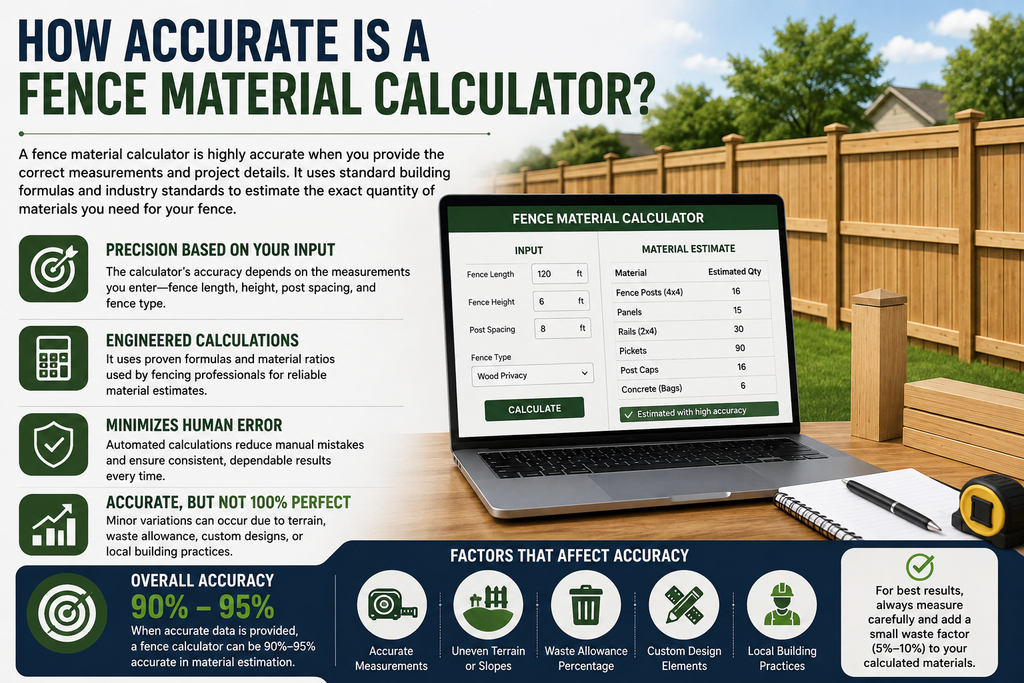
Fence material calculators promise a quick answer to a complicated question: exactly how much lumber, wire, concrete, and hardware do you need? But how much can you actually trust the number they spit out? The honest answer is that most calculators are accurate within a reasonable range — usually 5–15% — but that accuracy depends heavily on the quality of your inputs and the assumptions built into the tool. This article breaks down where fence calculators tend to be reliable, where they fall short, and how to know when to trust the number in front of you.
The Short Answer
A well-built fence material calculator is generally accurate for the core materials — posts, panels or rails, and basic hardware — as long as you provide correct measurements. Where accuracy tends to break down is in situational factors the calculator can’t see: your yard’s terrain, local building codes, and the specific product dimensions of the materials you end up buying. In other words, the math itself is reliable; the assumptions behind the math are where errors creep in.
Why Calculators Are Accurate for Core Materials
Post count, panel count, and rail count are all derived from simple, well-established formulas:
- Posts = (Linear Footage ÷ Post Spacing) + 1
- Panels = Linear Footage ÷ Panel Width (rounded up)
- Rails = Number of Post Sections × Rail Rows
These formulas don’t leave much room for error, provided your linear footage measurement is correct. This is why the “core” numbers — the actual structural components of your fence — tend to be the most trustworthy part of any calculator’s output.
Where Accuracy Starts to Slip
1. Measurement Errors
The single biggest source of inaccuracy isn’t the calculator itself — it’s the numbers you feed into it. A 5% error in your linear footage measurement produces a roughly 5% error in every downstream calculation, from posts to panels to concrete. Careful, double-checked measurements are the most important thing you can do to improve accuracy.
2. Sloped or Uneven Terrain
Most basic calculators assume flat ground. If your yard has significant grade changes, you may need stepped panels, additional posts, or racked fencing sections, none of which a standard calculator accounts for automatically. On sloped properties, expect the real material need to run 10–20% higher than the calculator’s baseline estimate.
3. Frost Line and Post Depth
Post-hole depth — and therefore concrete volume — varies by region due to frost line requirements. A calculator built for a general audience often defaults to a national average depth, which may not match your local building code. Cold-climate regions in particular often require deeper holes than a generic calculator assumes.
4. Panel Width Assumptions
Not all “8-foot panels” are truly 8 feet once you account for the gap needed between panels for expansion or hardware. Manufacturer-specific calculators tend to be more accurate here than generic tools, since they use the exact dimensions of the product you’re buying rather than a rounded industry standard.
5. Corner and Direction-Change Handling
Some calculators treat your entire fence perimeter as one continuous straight line, which can slightly underestimate panel count on properties with multiple corners. More sophisticated tools calculate each straight run separately and sum the results, which produces a more accurate total.
6. Waste and Damage Buffers
Many calculators build in a 5–10% waste buffer, but not all of them disclose this clearly. If you’re not sure whether your calculator includes a buffer, it’s safer to assume it doesn’t and add the extra material yourself.
How Accuracy Differs by Fence Type
Accuracy isn’t uniform across every fence material:
- Chain link: Highly accurate, since it’s sold in continuous rolls with simple length-based math and few custom-cut components.
- Vinyl and pre-manufactured wood panels: Generally accurate, since panel widths are standardized, though gate framing sometimes gets underestimated.
- Custom wood picket fencing: Less accurate by default, since picket spacing preferences vary and cutting waste is harder to predict.
- Wrought iron or custom metal fencing: Least accurate from generic calculators, since these projects often involve custom fabrication that doesn’t fit standard formulas.
How to Test a Calculator’s Accuracy Yourself
You don’t have to take a calculator’s word for it. A quick manual cross-check can confirm whether the numbers are in a reasonable range:
- Measure your linear footage independently, ideally with a measuring wheel rather than estimating by eye.
- Divide by your chosen panel or picket width and round up.
- Compare this manual post and panel count against the calculator’s output.
- If the numbers match closely, you can trust the rest of the materials list. If they’re significantly different, check whether you and the calculator are using the same panel width and post spacing assumptions.
Tips for Getting the Most Accurate Estimate
- Use a manufacturer’s calculator when possible, since it reflects the exact product dimensions rather than industry averages.
- Measure with a wheel or long tape, not by pacing off distances, which tends to introduce error.
- Manually add extra material for slopes, since most tools won’t do this automatically.
- Check your local frost line depth and adjust concrete estimates if the calculator’s default seems too shallow.
- Always add a small buffer, even if the calculator claims to include one, since real-world installations frequently turn up unexpected trimming or damaged pieces.
When to Trust the Calculator vs. Get a Professional Estimate
A fence calculator is reliable enough for budgeting purposes and for comparing contractor quotes against a baseline. However, if your property has significant slopes, unusual terrain, or you’re planning a custom design, it’s worth getting an in-person estimate from a contractor who can physically assess the site. The calculator gives you a strong starting point, but it can’t replace someone walking your property and accounting for conditions a formula simply can’t see.
FAQs
1. How close to accurate are most fence material calculators? Most are accurate within 5–15% for core materials like posts and panels, assuming your input measurements are correct. Accuracy drops on sloped or irregular properties.
2. What’s the most common reason a calculator’s estimate is wrong? Inaccurate input measurements are the most common cause. Even small errors in linear footage compound across every downstream material calculation.
3. Are manufacturer-specific calculators more accurate than generic ones? Generally, yes. They use the exact panel widths, post spacing, and hardware specs of the actual product you’re purchasing, rather than rounded industry averages.
4. Do fence calculators account for regional building codes? Rarely. Most use national average assumptions for post depth and concrete needs, so it’s worth checking your local frost line and permit requirements separately.
5. Should I always add extra material beyond the calculator’s number? Yes, adding 5–10% extra is a safe practice even if the calculator claims to include a waste buffer, since real installations often involve unexpected cutting or damaged materials.
6. Is a fence calculator accurate enough to skip getting a contractor quote? For simple, flat, rectangular properties, a calculator can get you very close. For sloped, irregular, or custom projects, it’s still worth getting a contractor’s in-person assessment for confirmation.
Final Thoughts
Fence material calculators are accurate where the math is simple — posts, panels, and basic hardware — but their reliability drops once real-world site conditions like slopes, frost lines, and custom designs enter the picture. Treat the calculator’s output as a well-informed starting estimate rather than a final answer, verify it with your own manual check, and add a reasonable buffer for waste. Used this way, a fence calculator remains one of the most useful planning tools available for keeping your project on budget